

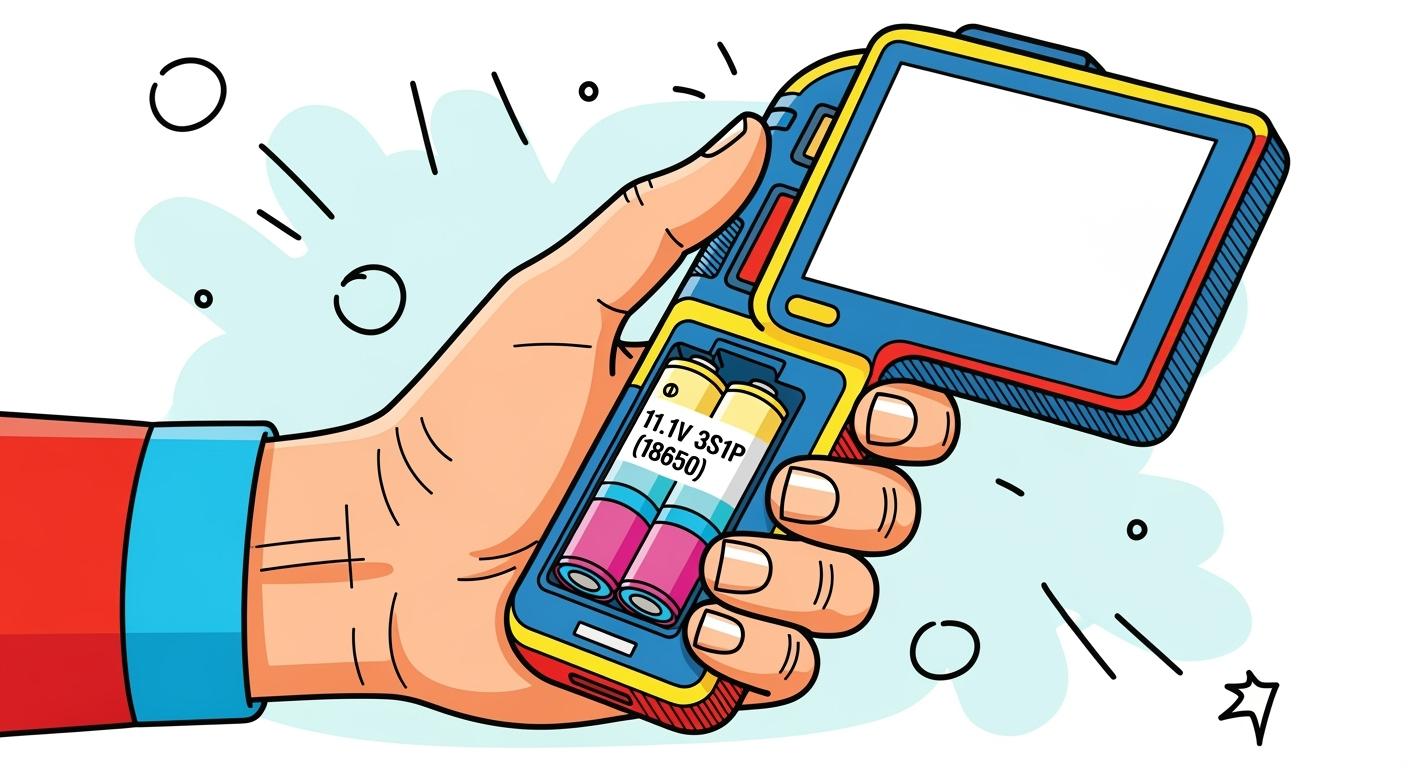
You face a real challenge when balancing power and ergonomics in handheld monitors using an 11.1V 3S1P (18650) battery pack. Stable voltage supports reliable performance for devices rated near 12V. The energy density of 18650 cells impacts runtime and portability directly. Consider the following comparison:
Feature | 18650 Cells | Other Battery Types (e.g., AA) |
|---|---|---|
Energy Density | 150-300 Wh/kg | Lower than 18650 cells |
Cycle Life | 300-4000 cycles | 500-1500 cycles for NiMH |
Portability | Compact and lightweight | Bulkier and heavier |
Selecting the right lithium chemistry, such as NMC or LCO, ensures you maximize both device power and user comfort. Balancing Power lets you create a tool that performs well without sacrificing usability.
Key Takeaways
Choose the right lithium chemistry, like NMC or NCA, to ensure high energy density and long runtimes for handheld monitors.
Position the 3S1P (18650) battery pack near the center of gravity to enhance user comfort and reduce hand fatigue during extended use.
Incorporate thermal management features in your battery enclosure to maintain safe operating temperatures and extend battery life.
Design for easy maintenance with tool-free access and clear indicators for battery health to minimize downtime and improve user experience.
Gather user feedback during the design process to refine ergonomics and ensure the final product meets the needs of technicians and clinicians.
Part1: Balancing Power Needs
1.1 3S1P Pack Advantages
You need a battery solution that delivers consistent performance for handheld monitors. The 3S1P (18650) pack stands out because it provides a stable 11.1V output, which matches the requirements of most 12V-rated devices. This configuration uses three cells in series, ensuring your monitor receives reliable voltage throughout its operation.
The advantages of a 3S1P pack become clear when you compare it to other battery configurations. The following table highlights key features that matter for handheld monitor integration:
Feature | Description |
|---|---|
High Energy Density | Lightweight and compact design for easy integration |
Long Cycle Life | Premium Li-ion cells offer extended durability |
Safety Features | Overcharge, over-discharge, and short-circuit protection included |
Wide Operating Temperature Range | Suitable for various environments |
You benefit from a lightweight design, which makes your device easier to handle. The long cycle life means you spend less time on maintenance and replacements. Built-in safety features protect your equipment and users from electrical faults. The wide operating temperature range ensures your monitors perform reliably in different settings.
Tip: When selecting a battery pack, always check for integrated safety features. These features help prevent damage and extend the lifespan of your handheld monitors.
1.2 Power Calculations
Balancing Power in handheld monitors requires you to understand how energy density and chemistry affect performance. The 3S1P (18650) pack uses lithium-ion cells, which offer high energy density and stable voltage. You can choose from several chemistries, each with unique benefits for your application.
Here is a comparison of common lithium-ion chemistries used in handheld monitors:
Chemistry | Platform Voltage | Energy Density (Wh/kg) | Cycle Life (cycles) |
|---|---|---|---|
NMC | 3.6-3.7 | 200-250 | 1000-2000 |
NCA | 3.6-3.7 | 220-260 | 500-1500 |
LCO | 3.6-3.7 | 150-200 | 500-1000 |
LiFePO4 | 3.2 | 90-120 | 2000-4000 |
LMO | 3.7 | 100-150 | 300-700 |
You see that NMC and NCA chemistries provide the highest energy density, which means longer runtime and less weight. These options suit performance-critical applications, but you must consider heat-related safety concerns. LCO offers moderate energy density and cycle life, while LiFePO4 excels in cycle life but has lower energy density. LMO provides a balance between energy density and cycle life, but it is less common in handheld monitors.
NMC and NCA lithium-ion chemistries deliver high energy density, making them ideal for handheld monitors that require extended operation.
Both chemistries require careful thermal management to ensure safe use in compact devices.
When you calculate power needs, start by estimating the total energy required for your monitor’s runtime. Multiply the average current draw by the operating voltage and desired hours of use. Choose a chemistry that matches your energy and safety requirements. Balancing Power between runtime, weight, and safety ensures your handheld monitor meets professional standards.
Part2: Ergonomics and Safety
2.1 Weight and Comfort
You need to consider weight and comfort when integrating an 11.1V 3S1P (18650) pack into handheld monitors. The battery configuration directly affects how users experience hand fatigue and grip during extended use. In medical devices, for example, clinicians often hold monitors for long periods. A heavy or poorly balanced battery pack can cause discomfort and reduce productivity. In robotics and industrial inspection, operators require steady hands for precise control. A compact and lightweight battery pack helps maintain a secure grip and reduces strain.
You can improve comfort by selecting high energy density chemistries like NMC or NCA. These options allow you to achieve longer runtimes without adding unnecessary bulk. You should also consider the shape and placement of the battery pack. A well-designed enclosure distributes weight evenly, making the device feel lighter and easier to handle.
Tip: Test prototypes with real users from your target sector. Gather feedback on grip, balance, and fatigue to refine your design.
2.2 Battery Placement
Battery placement plays a critical role in both ergonomics and safety. You should position the 3S1P (18650) pack where it supports a natural hand position. In security systems and infrastructure monitoring, technicians often carry handheld monitors for hours. Placing the battery near the device’s center of gravity helps prevent wrist strain and improves control.
You can use the following strategies to optimize battery placement:
Place the battery along the handle or grip area for balanced weight distribution.
Avoid mounting the battery at the far end of the device, which can make the monitor feel top-heavy.
Design the enclosure to allow easy access for maintenance or replacement, especially in industrial and medical settings.
A well-placed battery pack not only improves comfort but also enhances safety. Proper placement reduces the risk of accidental drops and ensures stable operation in demanding environments.
2.3 Safety Precautions
Safety remains a top priority when working with lithium-ion battery packs. You must follow best practices to protect both users and equipment. In sectors like consumer electronics and industrial automation, strict safety standards apply to battery integration.
You should always use a Battery Management System (BMS) to monitor cell voltage, temperature, and current. A BMS helps prevent overcharge, over-discharge, and short circuits. For more information on BMS integration, see our Battery Management System guide.
When handling and assembling 3S1P (18650) packs, you should:
Wear protective gloves and safety glasses.
Use only approved connectors and wiring.
Avoid exposing the battery to moisture or extreme temperatures.
Inspect packs regularly for signs of damage or swelling.
Regulatory compliance is essential for B2B applications. The table below summarizes key requirements for 3S1P battery packs in handheld monitors:
Compliance Type | Details |
|---|---|
Safety | Designed to meet UL2054, IEC62133-2 (ed1.1) |
RoHS | Complies with 2011/65/EU + (EU)2015/863 and China SJ/T 11364-2014 |
CE | Complies with 2013/56/EU, including EN61000-6-1:2007, EN61000-6-3:2007 |
Transportation | Designed to meet UN38.3 |
You must ensure your battery packs meet these standards before deployment. Compliance reduces liability and ensures safe operation in all environments.
Note: Balancing Power and ergonomics requires you to address both user comfort and regulatory safety. You create a reliable handheld monitor by following these guidelines.
Part3: Design Balance Strategies
3.1 Battery Integration
You need practical strategies to integrate battery packs into handheld monitors without sacrificing ergonomics. Start by mapping the internal layout to position the 3S1P (18650) pack close to the device’s center of gravity. This placement helps users maintain a comfortable grip and reduces fatigue during long shifts. You can use modular battery compartments that allow quick swaps, which minimizes downtime in field operations. Consider cell-to-pack configurations that eliminate extra thermal interface materials. This approach creates lighter battery packs and increases energy density, which supports Balancing Power and runtime.
3.2 Material and Enclosure
Material selection plays a key role in safety and comfort. Steel enclosures provide strong protection for battery packs, which is important in industrial environments. Aluminum offers a lighter alternative, making devices easier to carry for extended periods. You can also choose advanced thermoplastics or long-glass fiber polypropylene. These materials improve thermal resistance and reduce overall weight, which enhances both safety and maintenance efficiency. Effective thermal management is essential. You should design enclosures with cooling channels to help dissipate heat. This feature keeps batteries within safe operating temperatures and extends their lifespan.
Material Type | Benefit | Typical Use Case |
|---|---|---|
Steel | High durability | Heavy-duty field devices |
Aluminum | Lightweight, strong | Mobile monitors |
Thermoplastics | Thermal resistance, light | Medical/industrial units |
Glass fiber PP | Reduced weight, robust | Inspection tools |
Tip: Select enclosure materials based on your application’s safety requirements and user comfort needs.
3.3 Maintenance Access
You should design battery enclosures for easy maintenance. Removable covers and tool-free access panels allow technicians to inspect or replace battery packs quickly. This approach reduces service time and improves uptime for your handheld monitors. Use standardized connectors and clear labeling to prevent errors during maintenance. Incorporate visual indicators for battery health and charge status. These features help users identify issues before they affect device performance.
Note: Smart enclosure design improves safety and simplifies maintenance, which supports reliable operation in demanding B2B environments.
Part4: Practical Solutions
4.1 Case Studies
You can learn from successful handheld monitor designs that use 11.1V 3S1P (18650) packs. In medical diagnostics, portable ultrasound monitors rely on NMC chemistry for high energy density and long runtime. Industrial inspection teams use monitors with NCA packs to achieve lightweight devices that last through long shifts. Robotics engineers select LiFePO4 packs for their extended cycle life, which supports frequent charging in field operations.
Industry | Chemistry | Key Benefit | Application Scenario |
|---|---|---|---|
Medical | NMC | Long runtime | Portable ultrasound monitors |
Industrial | NCA | Lightweight design | Inspection and maintenance tools |
Robotics | LiFePO4 | Extended cycle life | Field control units |
Tip: Choose the chemistry that matches your runtime and durability needs for each industry.
4.2 Common Pitfalls
You may encounter several mistakes when integrating 3S1P (18650) packs. Placing the battery away from the center of gravity can cause hand fatigue. Using low-quality cells increases the risk of overheating and shortens cycle life. Ignoring proper enclosure design leads to poor thermal management and safety issues.
Common mistakes to avoid:
Selecting non-certified cells
Overlooking BMS integration
Neglecting ergonomic testing
Failing to meet compliance standards
Note: Always verify cell certification and test prototypes with real users before finalizing your design.
4.3 User Feedback
You should gather feedback from technicians, engineers, and clinicians who use handheld monitors daily. Many users prefer monitors with balanced weight and easy battery access. Industrial teams value quick battery swaps and clear charge indicators. Medical professionals report less fatigue with lightweight NMC-powered devices.
Technicians: Request tool-free battery access
Engineers: Prefer visual charge status indicators
Clinicians: Value lightweight, balanced monitors
If you want to learn more about sustainability and conflict minerals in lithium battery sourcing, visit our Sustainability Resource Center.
Listening to user feedback helps you refine your design and improve satisfaction across industries.
You can balance power and ergonomics in handheld monitors by following these steps:
Select the right lithium chemistry (NMC, NCA, LCO, LiFePO4) for your runtime and safety needs.
Position the 3S1P (18650) pack near the center of gravity to improve comfort.
Use enclosures with thermal management and easy maintenance access.
Test prototypes with real users and gather feedback.
Remember: Regularly review safety standards and update your design to meet industry requirements.
FAQ
What makes the 11.1V 3S1P (18650) pack suitable for handheld monitors?
You get stable voltage near 12V, which matches most professional monitor requirements. High energy density from NMC or NCA cells keeps your device lightweight. You achieve long runtimes without sacrificing portability or comfort.
How do you ensure safe operation with lithium-ion battery packs?
You should use a Battery Management System (BMS). This system monitors voltage, temperature, and current. You prevent overcharge, over-discharge, and short circuits. Regular inspections and certified cells help you maintain safety standards.
Which lithium chemistry offers the best balance for handheld monitors?
NMC chemistry gives you high energy density and long cycle life. You benefit from lightweight devices and extended operation.
How does battery placement affect ergonomics in handheld monitors?
You improve comfort by placing the battery near the center of gravity. Balanced weight distribution reduces hand fatigue. You make the device easier to grip and control during long shifts.
What maintenance features should you include in battery enclosures?
You should design tool-free access panels and use standardized connectors. Visual indicators for charge status help you spot issues early. These features speed up maintenance and reduce downtime for your team.


