

You need a maintenance-free power solution for your Outdoor Security Camera system. Solar power, PoE, and lithium battery packs deliver reliable performance and reduce downtime. Proper camera placement and voltage control keep your system running. Many common failures—such as drained batteries, power surges, or unplugged adapters—can be avoided with these solutions:
Type of Power Failure | Description |
|---|---|
Battery-powered cameras | May go offline when batteries are low or completely drained. |
Power surges | Can temporarily knock devices offline due to circuit overloads. |
Unplugged power adapters | Frequently cause camera disconnection, either intentional or accidental. |
You can build a dependable network with the right design and technology.
Quick Answer
Outdoor security camera power solutions should combine the right lithium battery chemistry, solar or charger input, BMS protection, weather-resistant packaging, and low-maintenance capacity planning. A custom battery system can keep cameras, routers, sensors, and communication modules online through night cycles and cloudy periods.
Key Takeaways
Choose the right power solution for your outdoor security cameras. Options include solar power, Power over Ethernet (PoE), and wireless setups.
Solar power is great for remote areas. It reduces energy costs and uses renewable energy, but requires consistent sunlight.
PoE simplifies installation by using one cable for power and data. It offers reliable performance and centralized management.
Wireless systems provide flexibility and can operate for weeks without maintenance. They are ideal for hard-to-reach locations.
Regularly inspect and maintain your system. Clean lenses, check connections, and update software to ensure optimal performance.
Part1: Outdoor Security Camera Power Options
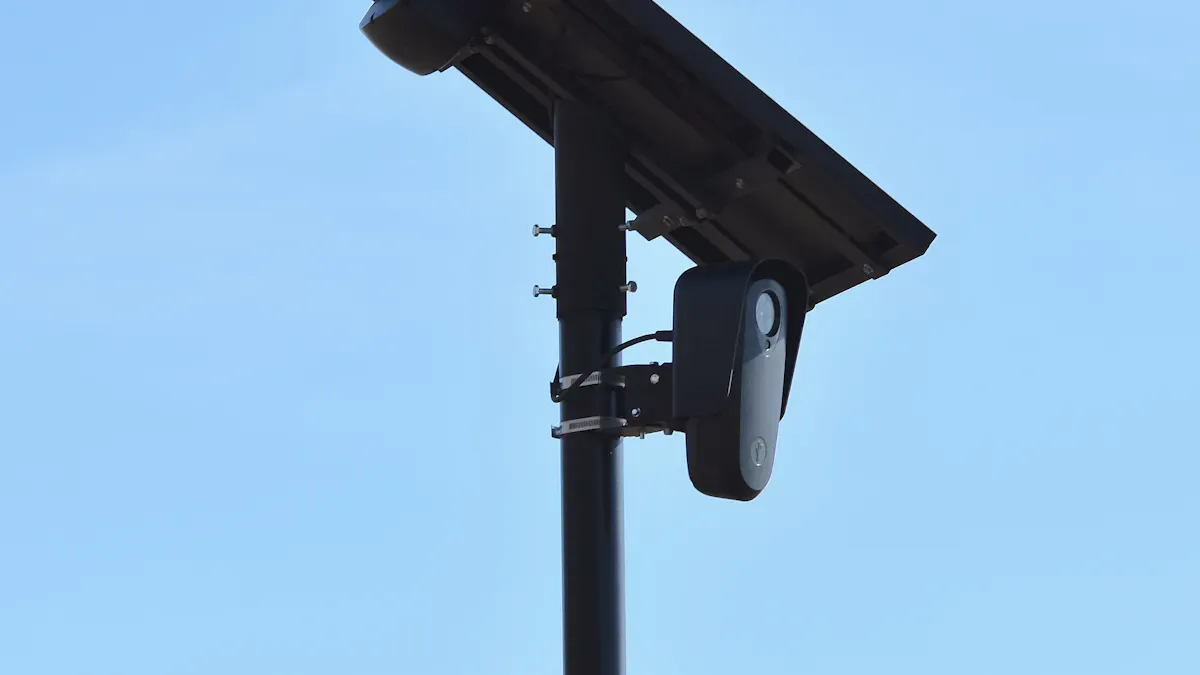
Selecting the right power solution for your Outdoor Security Camera system is essential for long-term reliability and minimal maintenance. You have three main options: solar power, Power over Ethernet (PoE), and wireless or hybrid setups. Each approach offers unique advantages and challenges, especially when you consider the need for maintenance-free operation in demanding business environments.
1.1 Solar Power Solutions
Solar power stands out as a self-sufficient option for Outdoor Security Camera deployments in remote or off-grid locations. You can install these systems without running electrical wiring, which makes them ideal for infrastructure projects, industrial sites, and perimeter security on large properties.
Tip: Solar-powered cameras work best in areas with consistent sunlight and minimal shading.
Key Pros and Cons of Solar Power:
Pros | Cons |
|---|---|
No Wiring Needed: Install in remote areas without electricity. | Sunlight Dependence: Requires consistent sunlight for reliable charging. |
Cost Savings: No ongoing electricity costs or professional installation needed. | Initial Price: Higher upfront cost due to solar panels and batteries. |
Eco-Friendly: Uses renewable solar energy. | Battery Life Limits: Heavy use or poor sunlight can drain batteries. |
Flexible Placement: Position cameras anywhere with sunlight. | Slower Video Access: Weak network signals may cause lag. |
Easy Installation: Many models are plug-and-play. | Data Costs: Cellular models require a data plan. |
Solar-powered Outdoor Security Camera systems use rechargeable lithium batteries to store energy. These batteries keep your cameras running during cloudy days or at night. You benefit from reduced energy bills and a lower carbon footprint, as these systems operate on renewable energy. Most solar panels last 20 to 30 years, while the security system itself typically lasts 5 to 10 years. Maintenance is minimal—just schedule periodic checks and clean the panels to remove dust and debris.
1.2 PoE Systems
Power over Ethernet (PoE) delivers both power and data through a single Ethernet cable. This solution simplifies installation and reduces labor costs, making it a popular choice for commercial buildings, warehouses, and industrial campuses.
Advantages of PoE for Outdoor Security Camera systems:
You only need one cable for each camera, which reduces cabling complexity and installation time.
Centralized power management allows you to monitor and maintain all cameras from a single location.
Many PoE systems include backup power options, so your cameras stay online during outages.
Aspect | Details |
|---|---|
Installation Cost | Lower, since you eliminate the need for separate power and data cables. |
Energy Efficiency | Centralized management reduces waste by supplying power only when needed. |
Cost Savings | Streamlined installation makes PoE budget-friendly from the start. |
PoE systems offer high reliability because wired connections do not suffer from wireless interference or battery depletion. However, you should plan for occasional cable maintenance and ensure your network infrastructure supports the required power load. For critical operations, consider adding an uninterruptible power supply (UPS) to prevent downtime during blackouts.
1.3 Wireless & Hybrid Setups
Wireless and hybrid power setups provide maximum flexibility for Outdoor Security Camera installations. These systems use high-capacity lithium-ion batteries, often paired with solar panels, to deliver weeks or even months of operation without intervention.
Feature | Description |
|---|---|
Battery Type | High-capacity 3-cell lithium-ion (NMC, LCO, LiFePO4) |
Operation Duration | Weeks to months, depending on usage and solar integration |
Solar Panel Integration | Extends battery life and reduces manual charging |
Continuous Power Option | USB adapter available for uninterrupted supply |
Note: Lithium battery packs enable you to install cameras in hard-to-reach or temporary locations, such as construction sites or remote infrastructure.
Wireless systems eliminate the need for wiring or electrical work. You can relocate cameras as your site layout changes, and installation costs remain low since you do not need an electrician. These setups continue to operate during power outages, which is critical for security in industrial and infrastructure environments.
Battery Chemistry Comparison Table
Chemistry | Typical Application | Cycle Life | Energy Density | Safety |
|---|---|---|---|---|
LiFePO4 | Industrial, medical, security | 2000+ | Moderate | High |
NMC | Robotics, infrastructure, security | 1000–2000 | High | Moderate |
LCO | Consumer electronics | 500–1000 | High | Low |
LMO | Power tools, hybrid setups | 500–1000 | Moderate | Moderate |
Solid-State | Next-gen security, medical | 2000+ | Very High | Very High |
Lithium Metal | Advanced robotics, industrial | 1000+ | Very High | Moderate |
For more information on sustainability and conflict minerals, see our sustainability and conflict minerals resources.
Reliability and Maintenance Comparison
Feature | Wired (PoE) | Wi-Fi Cameras | Wireless (Battery/Solar) |
|---|---|---|---|
Reliability | High: stable, wired connection | Medium: network congestion possible | Low–Medium: battery and signal dependent |
Maintenance Challenges | Cable wear, power dependency, cleaning, firmware updates | Battery management, signal interference, firmware/app bugs, cloud storage limits | Minimal: mainly battery and solar panel checks |
You should choose lithium battery chemistries that match your operational needs. For example, LiFePO4 offers long cycle life and high safety, making it suitable for critical security and industrial applications. NMC batteries provide high energy density for compact installations. Solid-state and lithium metal batteries represent the future of maintenance-free power, especially in demanding sectors like medical and robotics.
By leveraging the right combination of solar, PoE, and advanced lithium battery packs, you can build a truly maintenance-free Outdoor Security Camera system tailored to your business needs.
Part2: System Design & Planning
Designing a maintenance-free power system for your Outdoor Security Camera network requires a structured approach. You need to assess power needs, plan camera placement, size lithium batteries and solar panels, and manage voltage with the right controllers. This section provides a step-by-step guide to help you build a reliable, low-maintenance solution for demanding business environments.
2.1 Assessing Power Needs
Start by evaluating the power requirements for each camera and supporting device. Review the specification sheets for voltage and current needs, especially for cameras with IR LEDs or moving parts. These features can double power consumption at night.
Factor | Description |
|---|---|
Individual Camera Requirements | Check the specification sheet for voltage and current needs, especially for IR LEDs and moving parts. |
Power Supply Sizing | Add up current requirements, multiply by 1.3 for peak usage, and apply the 80% rule for longevity. |
Environmental Considerations | Ensure cameras have weather resistance (IP ratings), vandal resistance (IK ratings), and night vision capabilities. |
A camera with IR LEDs may require double the power at night compared to daytime.
For a multi-camera system, calculate total current needs and apply the 80% rule to ensure reliability.
To calculate daily and peak power consumption, follow these steps:
Step | Description |
|---|---|
Identify Active and Passive Devices | Distinguish between devices that consume power and those that do not. |
List Active Devices | Create a table listing all active devices and their maximum power consumption. |
Account for Power Loss | Consider the power loss in the system when calculating total power needs. |
For example, a Reolink RLC-810A PoE IP camera uses less than 12W. Cameras with IR illumination typically consume 2-4 additional watts. Include power from PoE switches and UPS systems in your calculations.
2.2 Camera Placement Strategy
Strategic camera placement improves both power efficiency and system reliability. Position cameras to minimize obstructions and ensure a clear line of sight. Avoid placing cameras behind trees, vehicles, or other objects that can block visibility and reduce effectiveness.
Proper positioning minimizes obstructions and ensures effective surveillance.
Obstructions like trees and vehicles can hinder camera visibility, leading to missed activities.
Reliable connectivity is essential for maintaining a consistent power supply and uninterrupted operation.
Wired systems provide stability but may require more complex installation. Wireless systems offer flexibility but can face interference.
Uninterrupted power solutions, such as UPS systems, prevent downtime during outages.
When maximizing solar exposure and minimizing maintenance, consider these best practices:
Evaluate natural and artificial lighting throughout the day and night.
Avoid positioning cameras facing bright light sources or windows.
Protect cameras from rain, snow, and temperature extremes.
Plan for seasonal changes in lighting and foliage.
Work with landscapers to prevent plant growth from obstructing views.
Test live camera views before installation.
Configure motion zones to reduce false alerts.
Clean lenses after heavy weather or seasonal changes.
Regularly review recordings and reposition cameras as needed.
2.3 Sizing Lithium Batteries & Solar Panels
Accurate sizing of lithium batteries and solar panels ensures continuous operation and reduces maintenance. Begin with a load evaluation to determine total usage needs. Calculate the instantaneous load based on simultaneous equipment operation. Determine battery storage capacity based on desired run time and load.
Analyze each camera’s power consumption and duty cycle to size the solar system appropriately.
Contact equipment manufacturers for precise load specifications.
For most security applications, battery capacity should be at least 5000mAh or more. The battery capacity should be at least 10 times the maximum output of the solar panel to prevent overcharging.
Parameter | Recommendation |
|---|---|
Minimum Battery Capacity | 5000mAh or higher |
Battery-to-Panel Ratio | Battery capacity ≥ 10 × solar panel max output |
Load Evaluation | Calculate total and peak loads for all devices |
You should select lithium battery chemistries based on your sector’s needs. For example, LiFePO4 offers long cycle life and high safety for industrial and security applications. NMC batteries provide high energy density for compact installations in robotics and infrastructure. Solid-state and lithium metal batteries are suitable for advanced medical and next-generation security systems. For more on sustainability or conflict minerals, see our sustainability and conflict minerals resources.
2.4 Voltage & Controller Considerations
Voltage management is critical for both safety and performance. The ideal voltage for outdoor security cameras is around 12V DC, with a tolerance of +/- 5%. This range helps prevent picture problems and potential damage.
Use a high-quality solar charge controller to prevent overcharging and deep discharging of batteries.
Charge controllers regulate the charging process, ensuring batteries do not exceed their capacity.
By monitoring battery voltage and state of charge, charge controllers extend battery lifespan and reduce replacement needs.
A reliable charge controller ensures stable and consistent electrical output to your cameras.
Investing in a robust charge controller pays off by reducing battery replacements and ensuring continuous operation.
If your system uses advanced lithium batteries, consider integrating a battery management system (BMS) for optimal safety and performance. For more information, visit our BMS resource.
By following these design and planning steps, you can build a maintenance-free Outdoor Security Camera system that delivers reliable performance in any business environment.
Part3: Installation & Maintenance
3.1 Installation Best Practices
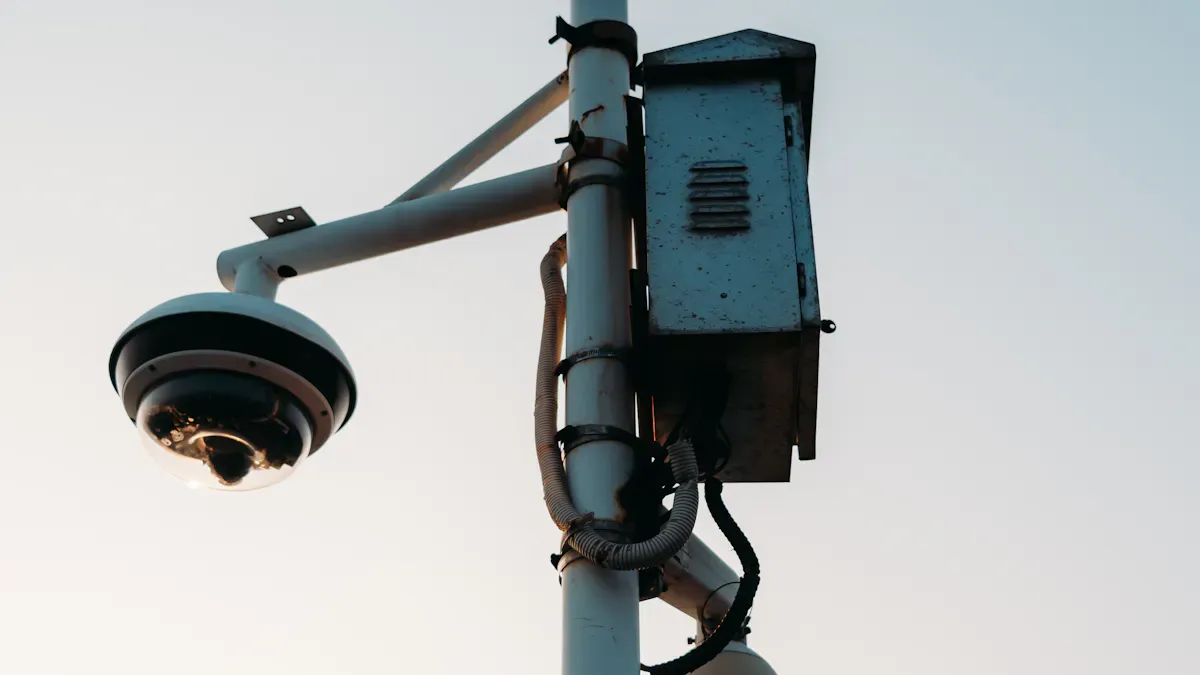
You can achieve a maintenance-free Outdoor Security Camera system by following a structured installation process. Use these steps to minimize future issues:
Mark mounting locations and test camera angles with a temporary setup.
Install weatherproof junction boxes for all cable connections.
Run Ethernet cables carefully from your control room to each camera.
Use waterproof RJ45 couplers to protect connectors from corrosion.
Mount cameras and brackets securely, sealing unused ports to block moisture.
Power your system using weatherproof adapters or enclosures.
Test and adjust the live camera feed before finalizing placement.
Seal all entry points with rubber grommets and silicone caulk. Manage cables with protective covers or conduits. Regularly inspect connections, especially after severe weather.
Follow industry safety standards for every installation:
Standard | Description |
|---|---|
UL 508A | Ensures safe use and installation of electrical products and systems. |
CID2 Standards | Certification for hazardous locations, ensuring compliance with safety. |
Type 3R Enclosure | |
Type 4X Enclosure | Weatherproof and corrosion-resistant, suitable for harsh environments. |
3.2 Reliability Testing
You should test your system for reliability before and after deployment. Focus on these common points of failure:
Point of Failure | Description |
|---|---|
Loose Cables | Can cause cameras to go offline. |
Dirty Lenses | |
Aging Control Equipment | May lead to system crashes. |
Weather Conditions | Rain, snow, and ice can obstruct or damage equipment. |
Wind | Can shift camera positions over time. |
Vandalism Risks | Cameras in accessible spots may face tampering. |
Test voltage at the camera end of each cable. Swap power adapters to isolate faults. Check fuses in distribution boxes and inspect cables for continuity. Clean lenses and check for moisture or corrosion at connection points.
3.3 Remote Monitoring
Remote monitoring technology reduces maintenance costs and downtime. You can use 4G solar-powered cameras for off-grid sites. These systems let you access live footage and receive alerts from anywhere. PoE systems powered by off-grid solar solutions provide reliable energy in remote areas. Battery backup ensures cameras stay online during outages.
Evidence Type | Statistic |
|---|---|
Total Ownership Cost Reduction | 32% lower compared to reactive models |
Emergency Repair Costs | Can exceed $5,000 for complex failures |
Maintenance Call Causes | 17% due to degraded image quality |
Evidence Loss | 2.3 times more in neglected systems |
Recording Failures | 55% due to full hard drives |
Cost Reduction | 40% reduction in corrective repair costs |
Regular maintenance extends system lifespan by up to 7 years and prevents most security breaches.
3.4 Troubleshooting & Minimization Tips
You can minimize maintenance by following these strategies:
Monitor for heat buildup around power components.
Check for loose wire connections and corrosion at termination points.
Verify voltage output matches manufacturer specifications.
Inspect battery backup systems quarterly.
Install surge protection devices to guard against voltage spikes.
Test voltage at the camera end and swap adapters to identify issues.
Check fuses and cable integrity.
Inspect for moisture or corrosion, especially in humid environments.
Ensure your system has reliable backup power, such as UPS or generator integration. Proper grounding and surge protection reduce lightning damage. Seal PCBs with conformal coating for extra moisture resistance.
If you use advanced lithium battery packs, integrate a battery management system (BMS) for optimal safety and performance. For more details, visit our BMS resource.
By following these best practices, you can build a robust, low-maintenance power solution for your Outdoor Security Camera network.
You can build a maintenance-free outdoor security camera system by following industry best practices. Solar power works well for remote sites, PoE supports system integration, and lithium battery packs deliver reliable, long-lasting energy for security, medical, and industrial sectors.
Key Steps for Success
Key Step | Description |
|---|---|
Regular Inspections | Check lenses, cables, and logs for efficiency. |
Cleaning | Keep cameras clean to maintain image quality. |
Software Updates | Apply firmware and security patches. |
Professional Support | Use expert consulting for custom system design. |
Quick Checklist
Position cameras for full coverage.
Choose the right camera for each environment.
Plan for lighting and storage needs.
Use lithium battery packs for backup.
Consult experts for tailored solutions.
Evaluate your site’s needs and work with professionals to ensure reliable, maintenance-free operation.
FAQ
What makes lithium battery packs ideal for outdoor security camera systems?
Lithium battery packs, such as LiFePO4 and NMC, offer long cycle life, high energy density, and reliable performance for outdoor security camera systems. You benefit from fewer replacements, lower maintenance, and stable power supply in demanding outdoor environments. If you are developing a battery-powered security camera or remote monitoring device, contact Large Power to discuss custom lithium battery pack solutions based on your voltage, capacity, runtime, enclosure, charging method, and certification requirements.
How do I size a lithium battery pack for my camera network?
You should calculate the total power draw of all cameras and devices. Multiply by the desired backup duration. Choose a lithium battery pack with at least 20% extra capacity for safety and longevity.
Can I use solar panels with lithium battery packs in harsh environments?
Yes. You can pair solar panels with LiFePO4 batteries for robust, maintenance-free power. These chemistries perform well in extreme temperatures, making them suitable for infrastructure, robotics, and security deployments.
What are the main maintenance tasks for a PoE or solar-powered camera system?
You should inspect cables, clean lenses, and check battery health quarterly. Use remote monitoring tools to track system status. Schedule firmware updates to maintain security and performance.
Why should I choose lithium battery packs over traditional lead-acid batteries?
Lithium battery packs, like LiFePO4, deliver higher energy density, longer lifespan, and better safety. You reduce downtime and replacement costs, which is essential for critical sectors such as medical, security, and industrial operations.
Need a custom battery design? For outdoor security or remote monitoring projects, contact Large Power to match battery capacity, charging input, enclosure, and safety requirements.


